DesignFlow OS — Your Studio, Systemised in Notion
A Notion OS for Architecture & Interior Design

Your studio,
systemised.

A complete studio operating system built in Notion — designed by a practising architect and project manager for design practices ready to work with real professional precision.
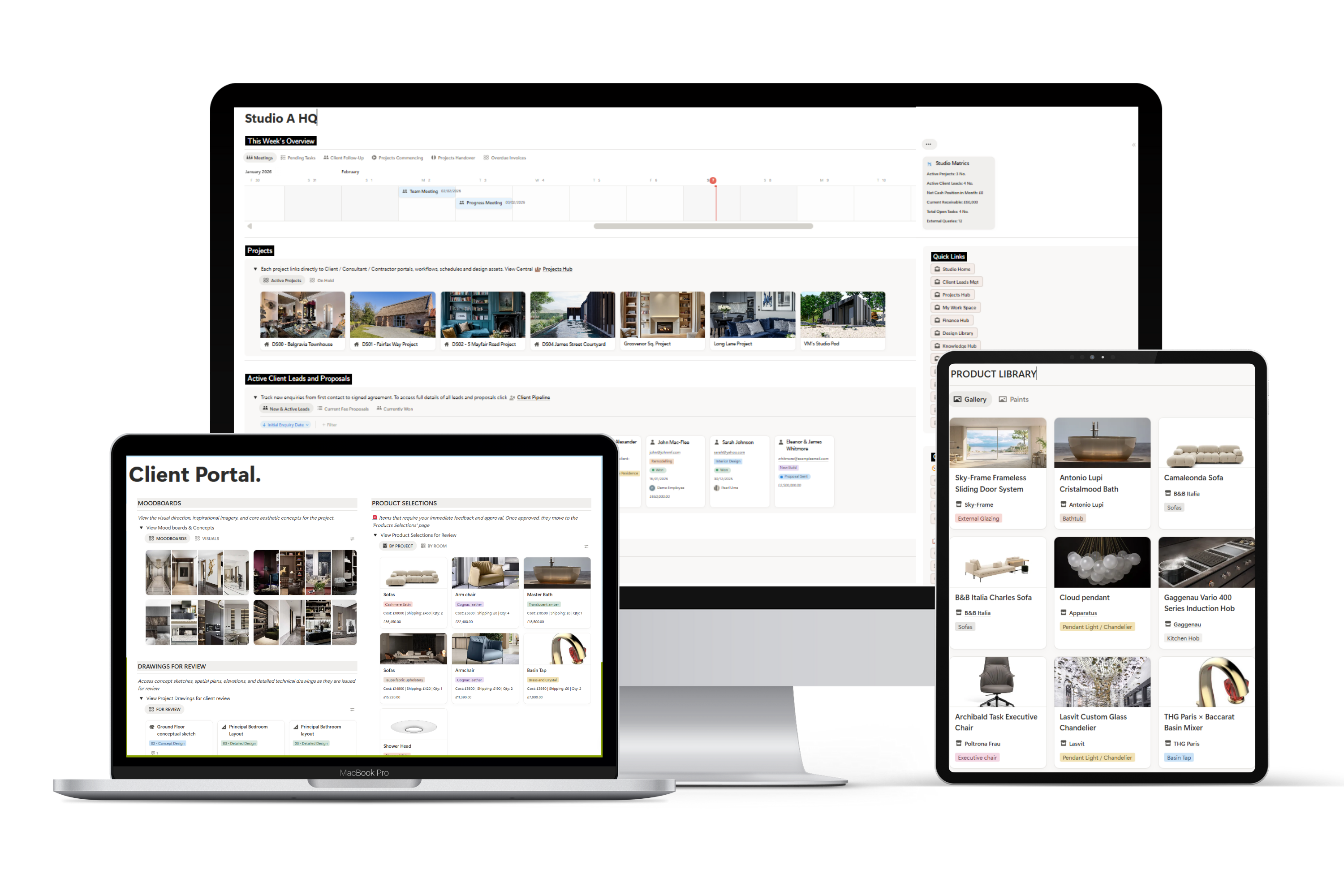
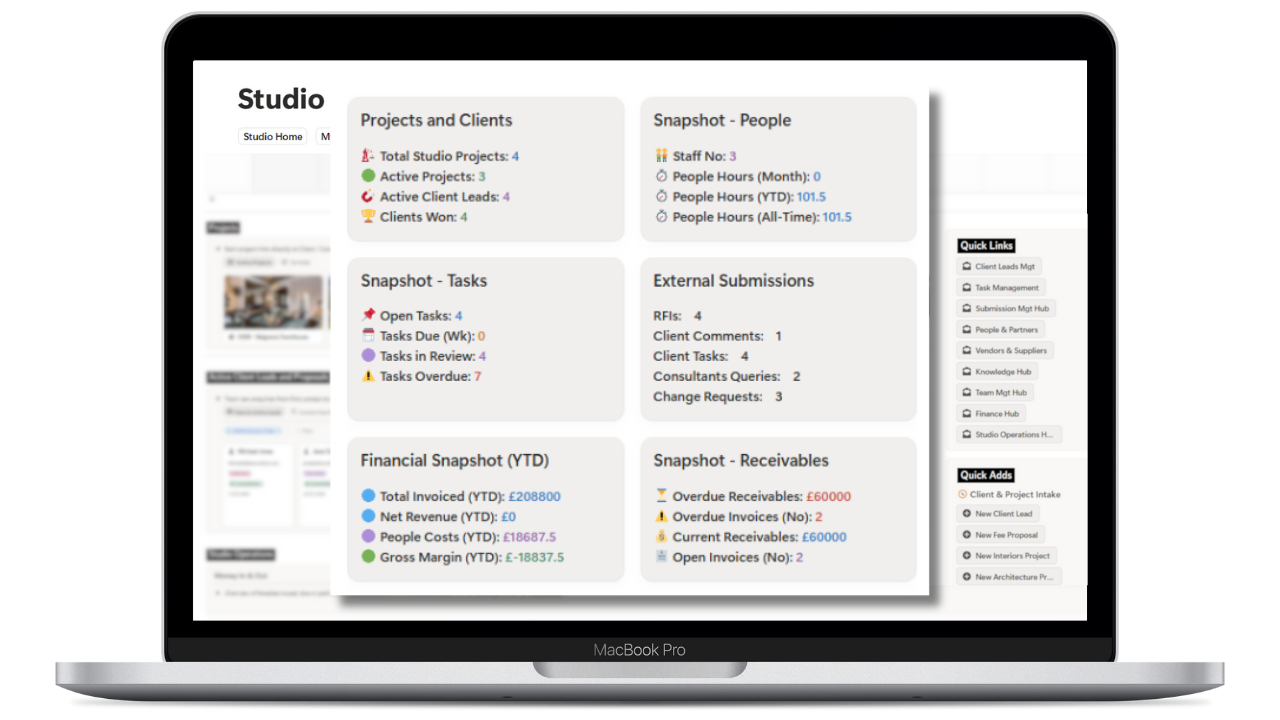
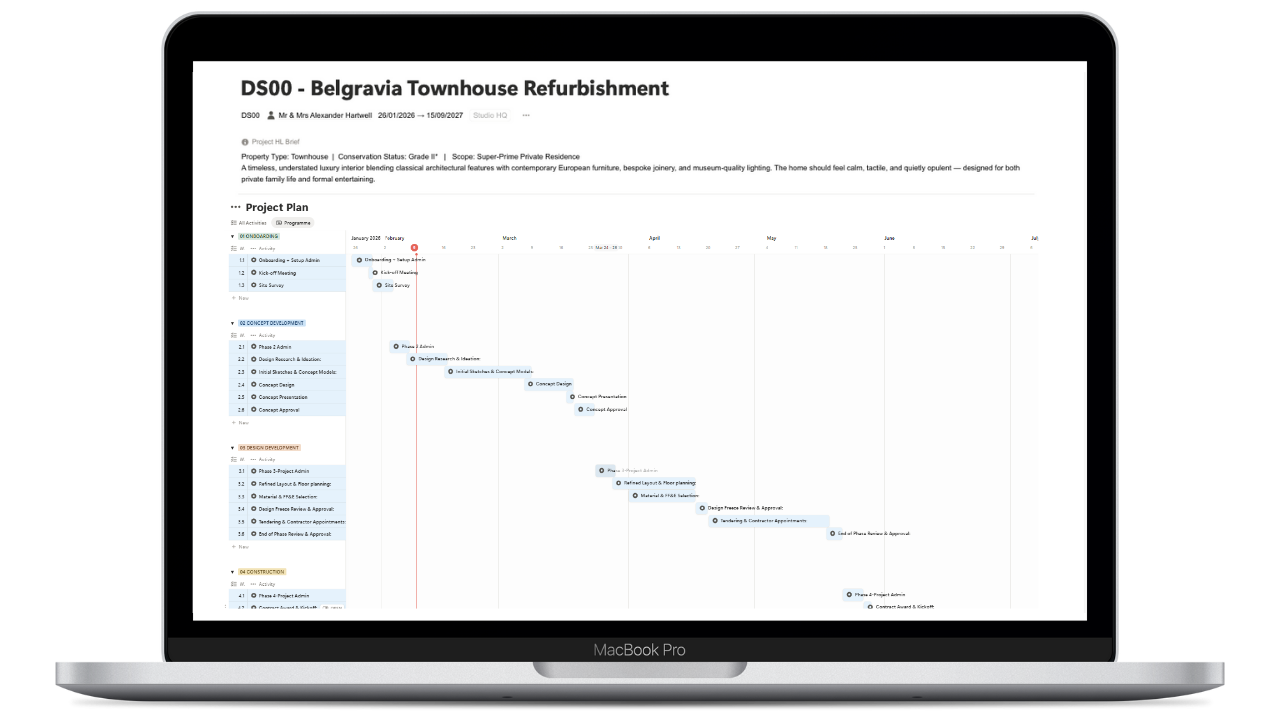
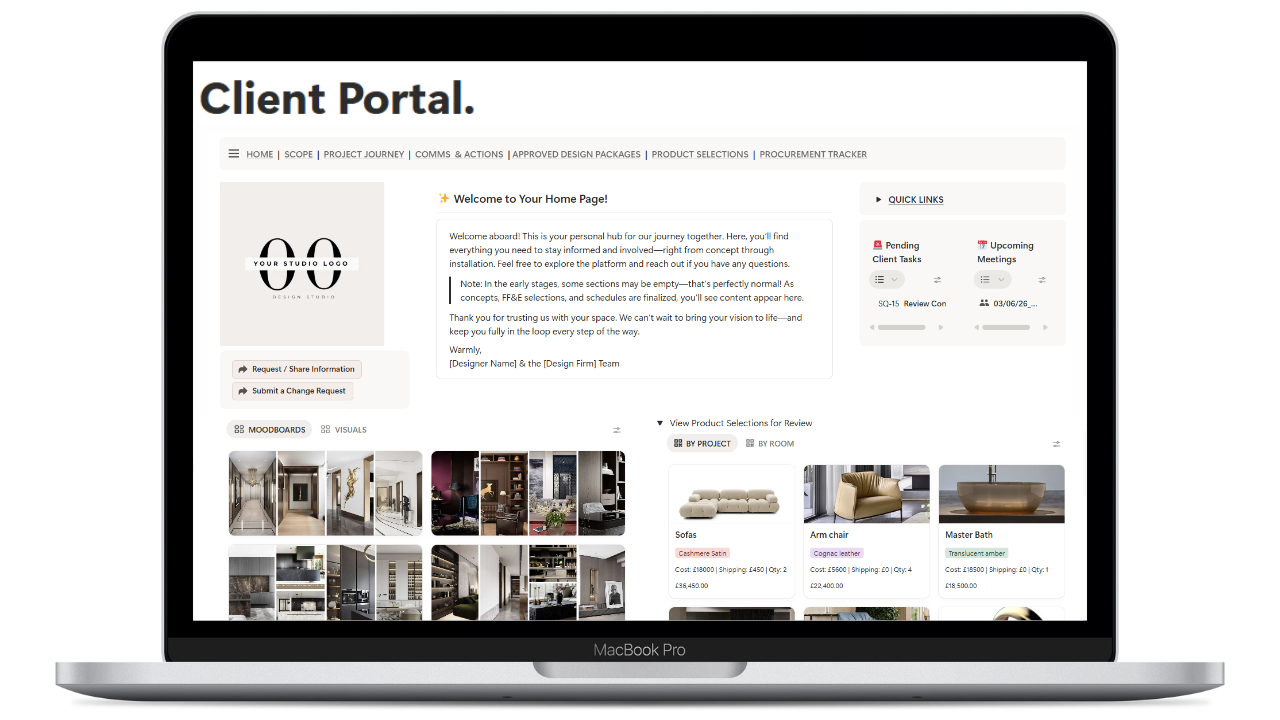
DesignFlow OS across MacBook and iPad — project plans, Studio HQ and client portal
Built by a qualified architect
One-time purchase · lifetime access
28 professional SOPs included
Works on Notion free plan
UK standards referenced

Running a design practice
on scattered tools costs you.

  • Hours lost to admin, not design
    Chasing approvals, reformatting spreadsheets, resending documents — time that should be billable is swallowed by process.
  • 📂
    Critical information lives everywhere
    Projects scattered across email, WhatsApp, Google Drive and sticky notes. When something slips, it's expensive.
  • 🔁
    No consistent process to scale from
    Every project starts from scratch. Without a repeatable system, quality varies and every new hire learns your process all over again.
  • 💸
    Expensive software for every function
    A separate tool for projects, clients, documents and finance. Monthly subscriptions that never integrate with each other.
"DesignFlow OS was born from real project delivery — hundreds of FF&E items, scattered approvals, supplier details, and client decisions. I built the system I needed, then refined it into one other design studios could use."
Pearl — Architect & Founder, DesignFlow OS

The complete
product tour.

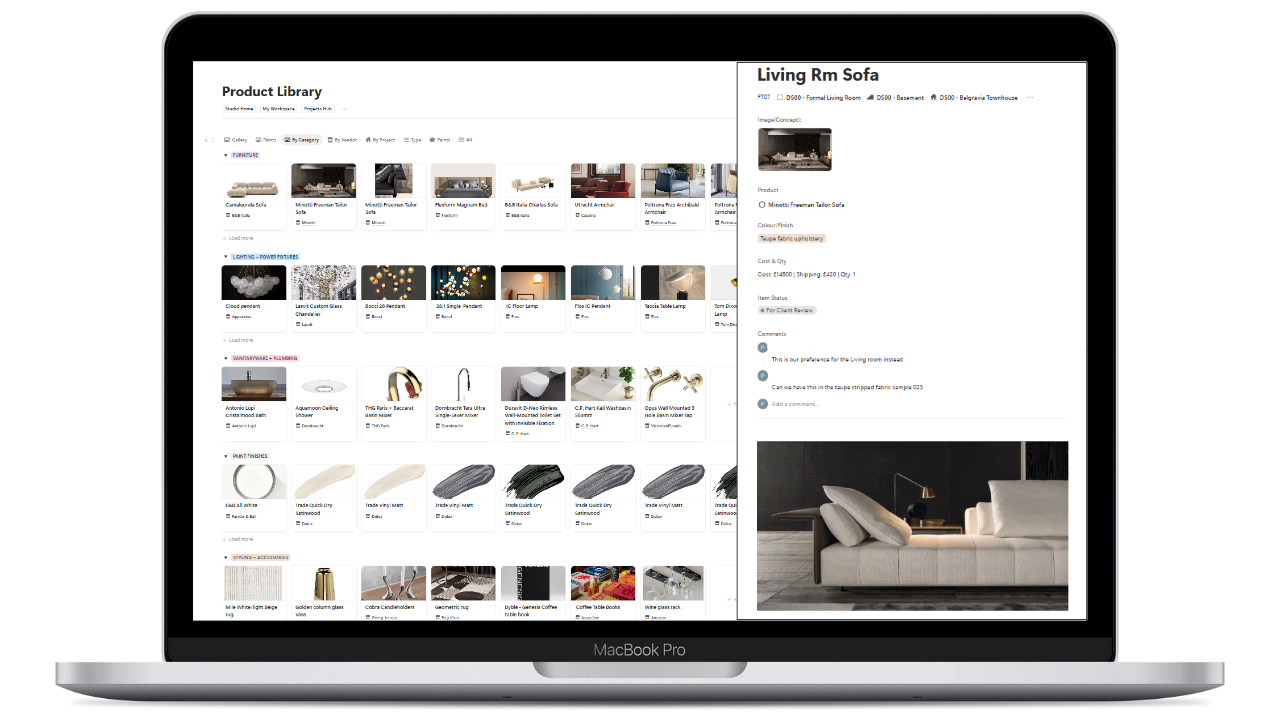
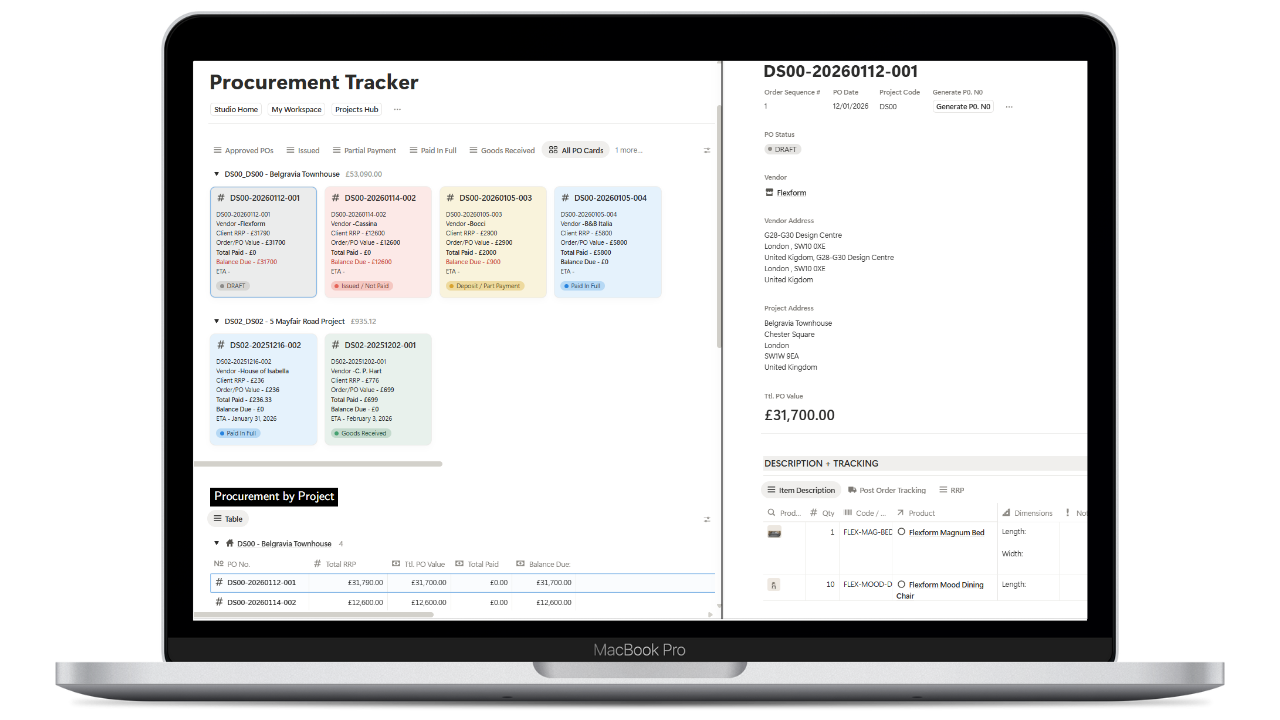
A full walkthrough of the workspace — Studio HQ, project plans, FF&E library, client portal and procurement tracker. This is exactly what you get on day one.

Full product tour · No sign-up required

Up and running
today.

No complex onboarding. No developer needed. DesignFlow OS is a Notion template — everything is set up for you. Duplicate, populate, and go.

01
Purchase & receive your link
Complete your one-time purchase and receive an instant email with your private Notion template link.
02
Duplicate to your Notion
Click duplicate and the entire workspace — all databases, dashboards, SOPs and portals — copies to your account in seconds.
03
Make it yours
Add your studio name, existing projects and team members. The relational structure is already built — you just populate it.
04
Run your studio from one place
Projects, clients, FF&E, finance and compliance — all connected, all in Notion. Works on free and paid plans.

Built for serious
design professionals.

🏛
Architecture Practices
From sole practitioners to growing studios managing multiple RIBA stage projects simultaneously.
  • RIBA stage tracking built in
  • Planning & Building Regs compliance
  • CDM and risk management
  • Drawing register & document control
🪑
Interior Design Studios
Practices managing complex FF&E specifications, supplier relationships and installation programmes.
  • Relational FF&E & product library
  • Supplier & trade management
  • Room-by-room specification
  • Procurement & delivery tracking
📐
Design Consultants
Freelance designers and project managers who need professional-grade systems without enterprise overhead.
  • Client & contact CRM
  • Fee tracking & invoicing
  • Project templating for fast setup
  • SOPs to professionalise your offer
One-Time Purchase
£97
One payment. Yours forever. No subscription.
  • Complete DesignFlow OS Notion workspace
  • Studio HQ dashboard & command centre
  • RIBA stage project management system
  • FF&E & product specification database
  • Client portal (per project)
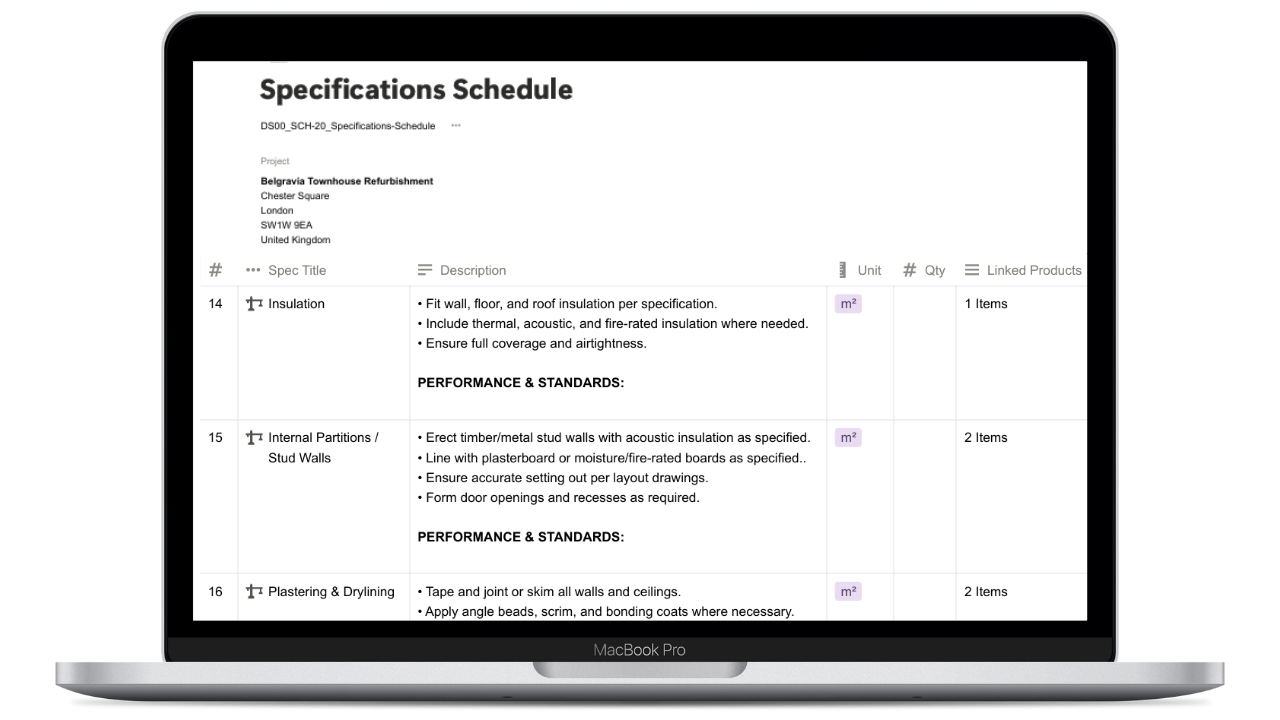
  • Specifications schedule
  • Procurement tracker & PO system
  • Finance, fee & invoice tracker
  • Client & consultant CRM
  • Works on Notion free plan
  • All future updates included
  • + 28 professional SOPs (Notion & Word)
Get Instant Access →

Secure checkout · Instant delivery · Lifetime access

Why this is
worth it.

01
One hour of your time pays for this
At typical professional hourly rates, DesignFlow OS costs less than two billable hours. The time you save in week one alone is worth multiples of that.
02
Built from a live project, not a theory
This system was built managing a 500+ FF&E item project in real time. Every database field exists because it was needed. Every workflow was tested in practice.
03
Replace multiple monthly subscriptions
Most practices spend £100–£300/month on fragmented tools. DesignFlow OS consolidates project management, CRM, document control and finance — for a one-time fee.
04
A system that scales with you
Built on Notion's relational database architecture. The same logic works for one project and one person as it does for a full team with forty concurrent commissions.

What practitioners
are saying.

"I've tried so many project management tools and none of them understood how a design practice actually works. This does. The RIBA stage tracker alone saved me hours in the first month."

SR
Sarah R.
Architect, London

"The FF&E database is extraordinary. Managing specifications across three concurrent projects used to mean endless spreadsheets. Now everything is linked — by supplier, room, status. It's changed how I work."

ML
Mia L.
Interior Designer, Surrey

"The client portal alone is worth the price. Clients comment on how professional it feels. And the procurement tracker means nothing slips — every PO, every payment, every delivery in one place."

JK
James K.
Design Consultant, Manchester

Everything you
need to know.

Still have a question? DM @designflowos on Instagram.

Do I need a paid Notion plan? +
No. DesignFlow OS works on Notion's free plan. All databases, dashboards, the client portal and SOPs are fully functional on the free tier. Some guest-sharing features work better on paid plans.
How does delivery work? +
Immediately after purchase, you'll receive an email with a Notion template link. Click duplicate and the entire workspace copies to your account in seconds — the whole process takes under five minutes.
Can I customise it for my practice? +
Everything is fully editable. Add your branding, adjust databases to match your project types, customise the SOPs with your practice name, and adapt any template to your specific workflow.
Is this only for UK practices? +
The SOPs and compliance documentation reference UK legislation (RIBA, ARB, Building Regulations). The project management and operational systems work for any design practice globally.
What if I've never used Notion before? +
Notion is intuitive and DesignFlow OS includes guidance notes throughout. If you can use a spreadsheet, you can use this. Watch the full product tour video — it shows everything before you buy.
Are future updates included? +
Yes. One purchase gives you lifetime access and all future template updates — no additional cost, ever. As DesignFlow OS grows, so does what you have.
Ready to systemise your studio?

Stop managing chaos.
Start running a practice.

Join design professionals who've replaced scattered tools with a single, professional workspace — built in Notion, built for the way you actually work.

One-time purchase · Instant delivery · Lifetime access · Works on Notion free plan